Journey Through Eras - AR Museum Experience
Project Type |
Oido Museum
Timeline |
2021
Tag |
UX Design · Game UI · AR Experience · User Research
Tool |
Figma · Photoshop · Illustrator
Overview
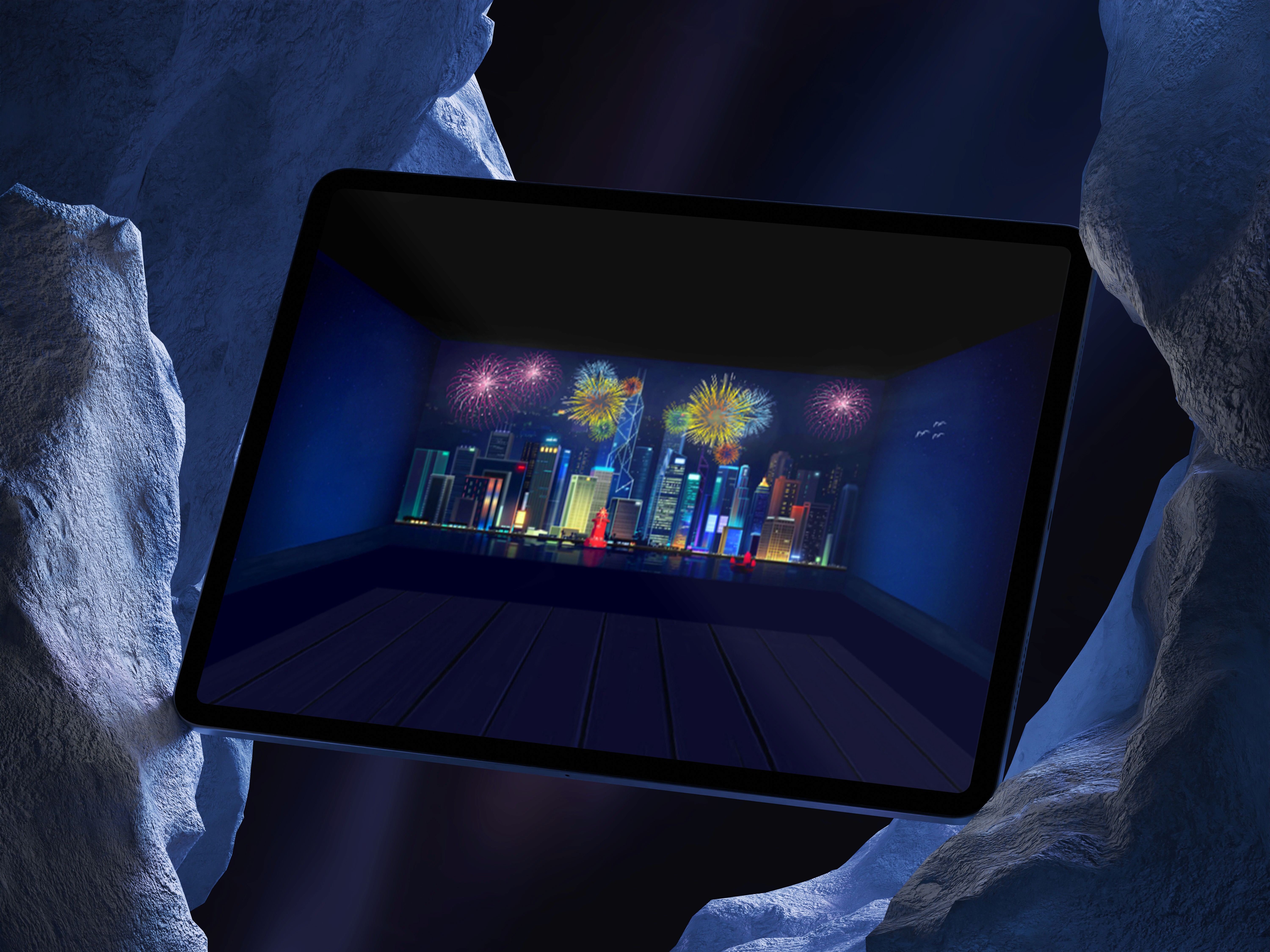
An AR experience that turns history into play
Designed for Oido Museum, Journey Through Eras is an interactive AR game helping children aged 5–12 explore local history through movement-based storytelling. Children board a virtual ship and voyage through Oido's history, from the Stone Age to the future, completing mini-games at each era.
My role
Team lead · Game UI design · Research coordination
Tools
Figma · Photoshop · Illustrator
Research
We went to the museum first
Before designing anything, we conducted field research at Oido Museum using three methods: service safari, shadowing, and behavior mapping. We observed how children actually moved through the existing exhibits and how quickly they stopped engaging.
Service Safari
Experienced existing exhibits as visitors to identify friction points firsthand
Shadowing
Observed children's behavior through the exhibition without interfering
Behavior Mapping
Tracked movement patterns and drop-off points across the 3F gallery
Key findings from existing exhibits
Interactive exhibits held attention up to 8 minutes
8 min max
The interactive fishing game showed the highest dwell time, children could physically participate.
Static exhibits lost children in 2–3 minutes
2-3 min
Time tunnel and food life exhibits had the lowest engagement, passive viewing only.
Physical interaction was the strongest engagement driver
Exhibits where children could touch, move, or see their own results kept them engaged significantly longer.
Photo opportunities extended visit time
The costume photo exhibit showed strong engagement, children wanted to see and share themselves in the experience.
Persona
Designing for Ji-yul, age 8
Service Safari
Experienced existing exhibits as visitors to identify friction points firsthand
Pain points
Can't enter the children's exhibit with her older brother
Few photo-worthy moments in the museum
No colorful, visually stimulating experiences
Persona
One app. Everything you need to catch your shuttle.
The solution focused on reducing uncertainty and friction by centralizing real-time shuttle information and enabling faster, more personalized access to what users need most.
Real-time Tracking
Live shuttle location to reduce uncertainty and help users decide when to move.
Estimated Arrival Times
Clear estimates so users can plan class transitions and avoid unnecessary waiting.
Favorite Stops
Save frequently used stops for quicker daily access, no repeated searching.
Personalized Alerts & Reminders
Notifies users about arrivals, delays, and service updates based on saved routes.
Key screens
Designed around how students actually use it

Real-Time & Home
Live location + arrival times front and center - support quick, time-sensitive decisions.

Search & Route Filter
Quickly find stops and routes across a large campus without digging through sources.

Schedule & Notifications
Combines schedule browsing with alerts, preventing missed shuttles.
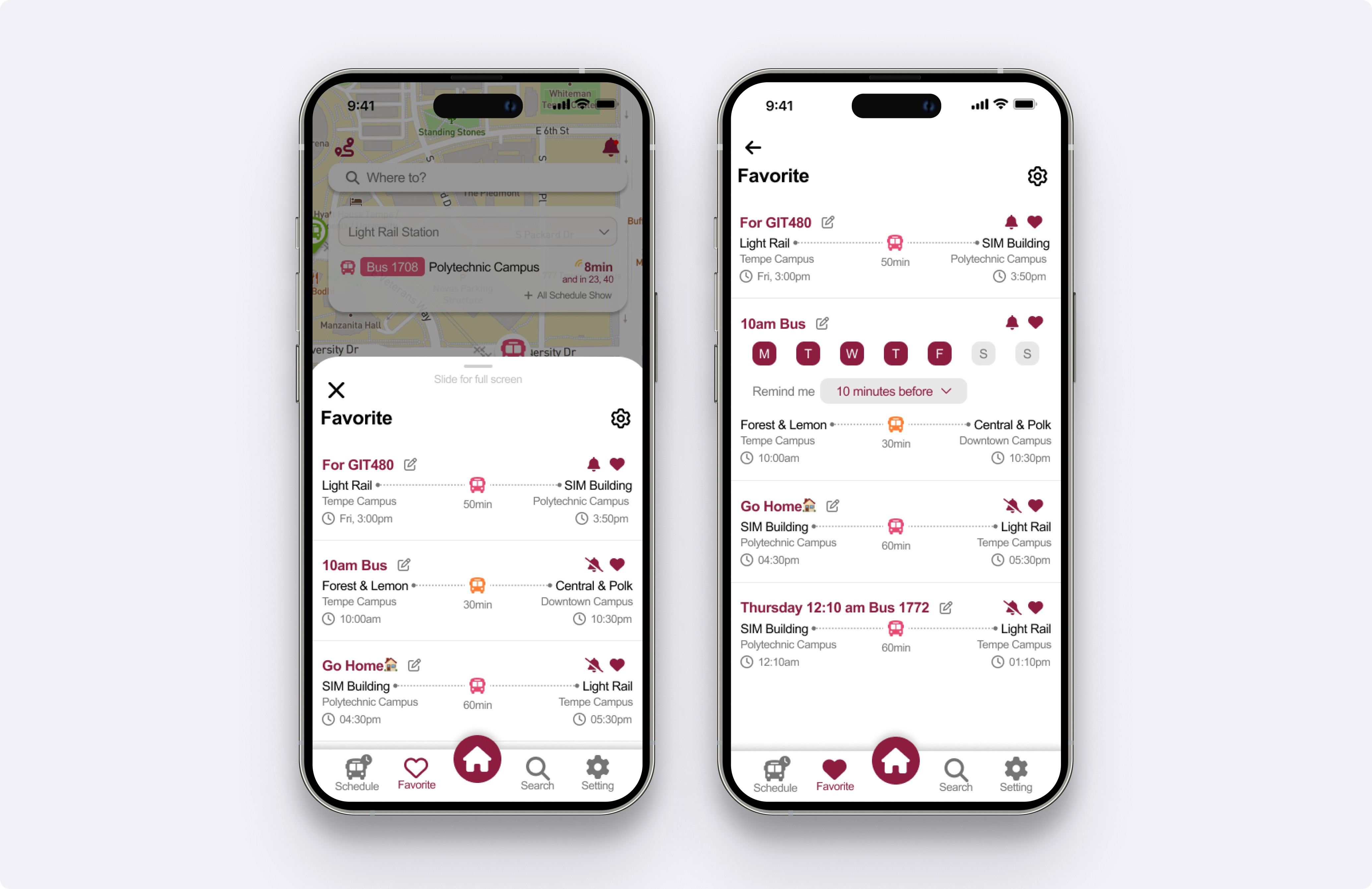
Favorites & Reminders
Saved stops + personalized reminders reduce friction in daily routine.
Results
Measurable improvement in usability
98%
of usability test participants felt the redesign was an improvement
~40%
reduction in time spent searching for shuttle information
Reflection
What I'd do differently
This project reinforced the importance of prioritizing real-time information in time-sensitive experiences. If revisited, I would further explore edge cases like service disruptions and accessibility needs, areas where the stakes for users are highest.